


Your LinkedIn headshot is often the first thing recruiters, clients, and potential employers notice when they visit your profile. A high-quality, up-to-date photo helps create a strong first impression, builds trust, and reflects your professionalism before someone even reads your experience or skills.
An outdated or low-quality image can make your profile appear less polished or fail to represent your current appearance. Updating your LinkedIn headshots regularly ensures your profile stays accurate and supports a consistent personal brand. Whether you’ve changed roles, updated your look, or are preparing for new career opportunities, a recent professional headshot helps you present yourself with confidence.


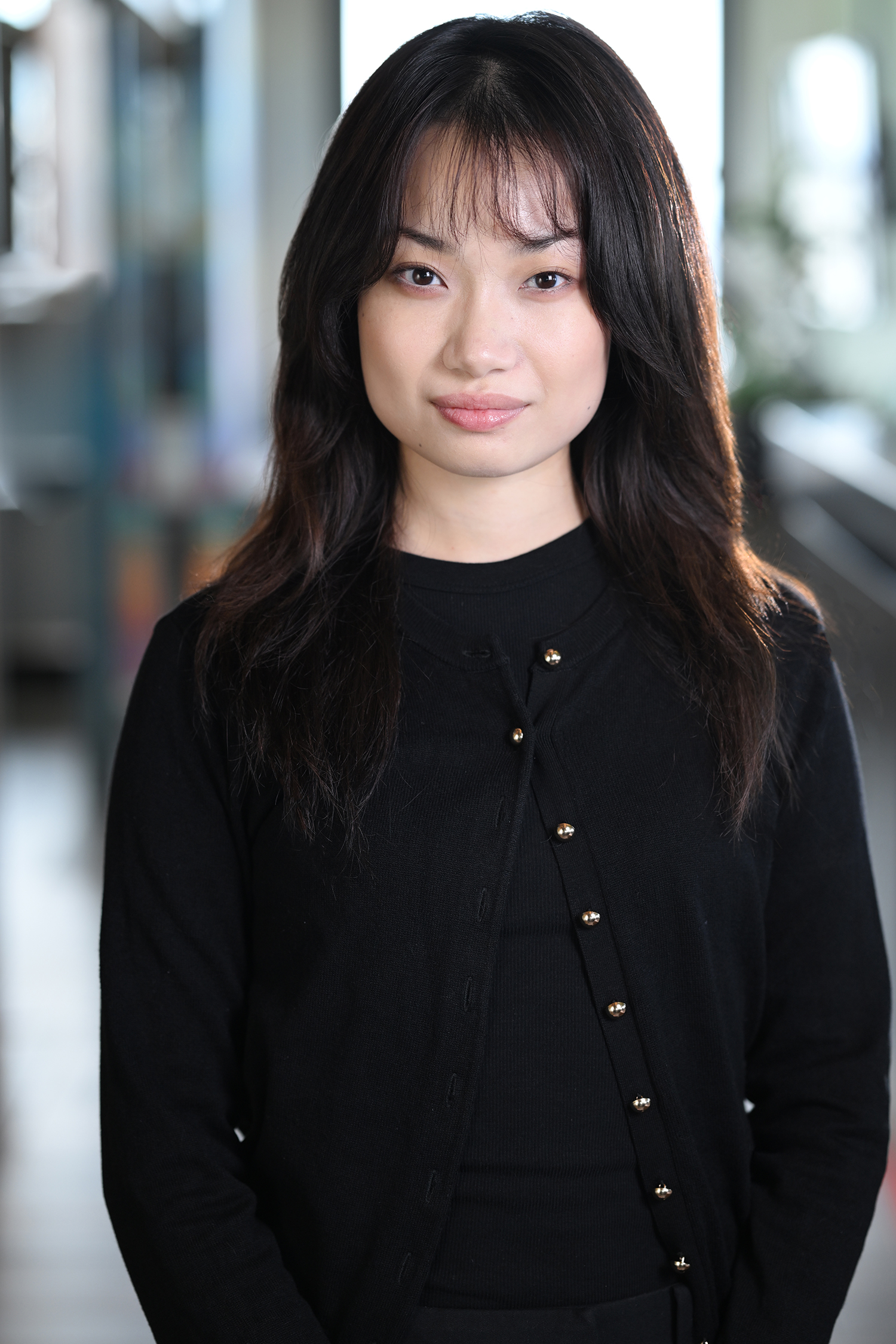
Why Your LinkedIn Headshot Matters
Your LinkedIn headshot is more than just a profile photo—it’s an important part of your professional identity. A high-quality image helps you make a positive first impression, strengthens your personal brand, and builds credibility with recruiters, clients, and business connections.
Creates a Strong First Impression
Your profile photo is often the first thing people notice when they visit your LinkedIn page. A polished, professional image helps create a positive impression and encourages others to learn more about your experience. Investing in LinkedIn headshots can help you stand out in a competitive professional environment.
Strengthens Your Personal Brand
Your headshot should reflect who you are today and the image you want to present. A current, professional photo supports your personal brand and creates consistency across LinkedIn, company websites, and other online profiles. Pairing your portrait with brand photography can further strengthen your professional presence.
Builds Trust and Credibility
People are more likely to connect with someone whose profile looks authentic and professional. A recent, high-quality photo helps build trust by showing that your profile is active and accurately represents your current appearance.
Appeals to Recruiters and Hiring Managers
Recruiters often review hundreds of LinkedIn profiles when searching for candidates. A professional headshot helps your profile appear polished and complete, making it easier for hiring managers to remember you. Whether you’re actively job searching or growing your network, professional headshots can leave a lasting impression.
Demonstrates Professionalism
A professional headshot shows that you take your career seriously and pay attention to your personal brand. An experienced corporate headshot photographer can help create natural, high-quality images that reflect confidence, professionalism, and approachability across every stage of your career.
How Often Should You Update Your LinkedIn Headshot?
There’s no fixed schedule for updating your LinkedIn photo, but reviewing it every two to three years is a good practice. You should also replace your headshot whenever your appearance, career, or personal brand changes to ensure your profile accurately represents who you are today.
Every 2–3 Years
Even if your appearance hasn’t changed significantly, updating your LinkedIn headshots every two to three years helps keep your profile current. A recent photo signals that you’re active professionally and invested in maintaining your online presence.
After a Major Career Change
Starting a new job, changing industries, or launching your own business is the perfect time for a new headshot. Updating your photo alongside your profile ensures your professional image matches your latest career milestone. Many professionals also refresh their professional headshots when making these transitions.
When Your Appearance Changes
If your appearance has changed noticeably, your profile photo should reflect it. Consider updating your headshot after changes such as:
- A new hairstyle
- Growing or shaving a beard
- Wearing or removing glasses
- Significant weight changes
Keeping your photo current helps colleagues, recruiters, and clients recognize you in person.
After Receiving a Promotion
A promotion often comes with greater responsibilities and increased visibility. Updating your headshot can reflect your new role and reinforce a polished, professional image for leadership profiles, company websites, and business networking.
When Rebranding Your Business
If you’ve updated your company branding, launched a new business, or refreshed your marketing materials, your headshot should match your new professional identity. Combining a new portrait with brand photography creates a consistent look across your website, LinkedIn profile, and social media channels.
Before Starting a Job Search
Before applying for new opportunities, review your LinkedIn profile—including your headshot. A recent, high-quality image can strengthen your profile and help you make a positive first impression with recruiters and hiring managers. Working with an experienced corporate headshot photographer ensures your photo reflects confidence, professionalism, and approachability.
Signs It’s Time to Update Your LinkedIn Headshot
Your LinkedIn photo should accurately represent who you are today. If your current image no longer reflects your appearance or professional brand, it may be time for an update.
Your Photo Is More Than Three Years Old
A headshot that’s several years old may not reflect your current appearance or career. Refreshing your LinkedIn headshots every two to three years helps keep your profile current and professional.
It Doesn’t Reflect Your Current Look
If you’ve changed your hairstyle, grown or shaved a beard, started wearing glasses, or experienced noticeable weight changes, your headshot should reflect those updates. A current image helps colleagues, recruiters, and clients recognize you.
Low Image Quality
Blurry, pixelated, or poorly cropped photos can make your profile appear less professional. High-resolution professional headshots create a stronger first impression and showcase your attention to detail.
You’re Using a Casual Selfie
Selfies and informal photos may be suitable for personal social media but rarely convey the professionalism expected on LinkedIn. A professionally captured portrait presents a more polished and credible image.
Your Clothing Looks Outdated
Fashion trends and workplace expectations change over time. Wearing attire that reflects your current role and industry helps ensure your headshot remains relevant and professional.
Poor Lighting
Dark shadows, uneven lighting, or harsh sunlight can reduce the quality of your photo. Working with an experienced corporate headshot photographer ensures flattering lighting that enhances your appearance.
It’s a Cropped Group Photo
Cropping yourself out of a group picture often results in awkward composition and reduced image quality. A dedicated headshot keeps the focus entirely on you and creates a cleaner, more professional profile.
Your Personal Brand Has Changed
If you’ve changed careers, launched a business, or updated your professional image, your headshot should reflect those changes. Pairing a new portrait with brand photography helps create a consistent look across LinkedIn, your website, and other professional platforms.
What Makes a Great LinkedIn Headshot?
A great LinkedIn headshot should present you as confident, approachable, and professional. The best images combine technical quality with authentic expression, helping you make a positive first impression and strengthen your personal brand.
Professional Lighting
Good lighting highlights your features, reduces harsh shadows, and creates a polished appearance. Whether taken indoors or outdoors, well-lit LinkedIn headshots help you look confident and approachable.
Clean Background
A simple background keeps the attention on you rather than your surroundings. Neutral studio backdrops, modern office spaces, or subtle outdoor locations all work well for professional headshots.
Appropriate Clothing
Choose clothing that reflects your profession and personal style. Solid colors, tailored outfits, and minimal patterns create a timeless look that works well across LinkedIn, company websites, and other professional platforms.
Genuine Expression
A natural smile and relaxed expression help you appear approachable and trustworthy. An experienced corporate headshot photographer can guide you with posing and expressions that feel authentic rather than forced.
High Resolution
Your LinkedIn photo should be sharp, well-composed, and high resolution. Clear, professional-quality images look better across desktop and mobile devices while reinforcing your credibility.
Consistent Branding
Your headshot should match the image you present across your website, social media, and marketing materials. Pairing your portrait with brand photography creates a consistent professional identity that helps people recognize and remember you.
Common LinkedIn Headshot Mistakes to Avoid
A strong LinkedIn headshot helps you make a positive first impression, but a few common mistakes can reduce its impact. Avoiding these issues ensures your profile looks polished, professional, and up to date.
Using a Selfie
Selfies often lack the composition, lighting, and quality expected on a professional networking platform. Investing in LinkedIn headshots creates a more credible and polished first impression.
Using Vacation Photos
Travel photos may be great for personal social media, but they rarely convey a professional image. Choose a photo that reflects your career and personal brand.
Applying Heavy Filters
Excessive filters can make your image look unnatural and outdated. A professionally edited professional headshots session should enhance your appearance while keeping it authentic.
Using Cropped Images
Cropping yourself out of a group photo often results in poor composition and reduced image quality. A dedicated headshot keeps the focus entirely on you.
Choosing a Distracting Background
Busy backgrounds, cluttered spaces, or distracting objects can take attention away from your face. A clean setting or professionally selected location helps create stronger corporate headshots.
Uploading a Low-Resolution Photo
Blurry or pixelated images can make your profile appear less professional. High-resolution photos ensure your LinkedIn profile looks sharp on both desktop and mobile devices.
Over-Editing Your Photo
Excessive retouching can create an unrealistic appearance. A skilled corporate headshot photographer uses subtle editing to enhance your portrait while preserving a natural look.
Keeping an Outdated Photo
If your photo no longer reflects your current appearance, it’s time for an update. Pairing a recent headshot with brand photography helps maintain a consistent and trustworthy professional image across all platforms.
Studio vs Outdoor LinkedIn Headshots
Both studio and outdoor LinkedIn headshots offer unique advantages. The right choice depends on your profession, personal brand, and the image you want to present on LinkedIn.
Studio LinkedIn Headshots | Outdoor LinkedIn Headshots |
Controlled lighting delivers consistent, professional results. | Natural light creates a warm, approachable appearance. |
Ideal for a clean, corporate style. | Perfect for modern personal branding and lifestyle images. |
Creates timeless, classic portraits. | Adds personality with cityscapes, parks, or architectural backdrops. |
Great for executives, corporate professionals, and company profiles. | Well-suited for entrepreneurs, consultants, creatives, and business owners. |
Weather-independent and available year-round. | Offers seasonal variety and unique Manhattan locations. |
Neither option is better—they simply serve different purposes. If you want a clean, polished look for company websites or executive profiles, in-studio corporate headshots are an excellent choice. If you’d like to showcase more personality and create a contemporary professional image, on-location corporate headshots provide a fresh and engaging style.
Many professionals choose both during the same session, giving them classic portraits for business use and modern images for LinkedIn, personal branding, websites, and social media.
Benefits of Hiring a Professional LinkedIn Photographer
A professional LinkedIn photographer does more than take a great picture. They help you create a polished image that reflects your personality, profession, and personal brand, ensuring your profile makes a strong first impression.
Expert Posing
Most people aren’t comfortable in front of the camera. An experienced photographer provides guidance on posture, facial expressions, and body positioning to help you look confident, approachable, and natural.
Professional Lighting
Lighting plays a key role in creating high-quality portraits. A skilled corporate headshot photographer knows how to use natural or studio lighting to produce flattering, professional-looking images.
Natural Retouching
Professional retouching enhances your photos with subtle adjustments to lighting, skin tone, and minor imperfections while maintaining a natural appearance.
Personal Branding Advice
Your LinkedIn photo should match your career goals and professional image. A photographer can recommend backgrounds, wardrobe, and styling that complement your brand photography and personal brand.
Image Selection
Choosing the best photo can be difficult. A professional photographer helps you select the images that best represent you for LinkedIn, company websites, and other business platforms.
Professional Editing
Every final image is carefully edited for color, sharpness, and overall quality. This ensures your LinkedIn headshots look polished and consistent across all devices.
Multiple Looks
Many sessions include outfit changes or different backgrounds, giving you a variety of images for LinkedIn, websites, speaking engagements, and marketing materials. Combining multiple looks with professional headshots provides flexibility for different professional needs.
Preparing for Your LinkedIn Headshot Session
A little preparation before your session can make a noticeable difference in the final results. Planning your outfit, grooming, and overall presentation helps you look confident, polished, and camera-ready.
Choose Professional Clothing
Wear well-fitted clothing that reflects your profession and personal style. Solid colors and classic designs photograph well and keep the focus on your face. Bringing a second outfit gives you more variety for your LinkedIn headshots.
Style Your Hair
Schedule a haircut a few days before your session if needed, and style your hair the way you normally wear it. A natural, well-groomed appearance helps your headshot accurately represent you.
Keep Makeup Natural
If you wear makeup, choose a natural look that enhances your features without appearing heavy. The goal is to look polished while maintaining an authentic appearance.
Keep Accessories Simple
Minimal accessories, such as a classic watch or understated jewelry, complement your look without becoming distracting. A clean, professional appearance works well for professional headshots.
Get Plenty of Sleep
A good night’s sleep helps you look refreshed and energized. Rested eyes and a relaxed expression contribute to a more confident and approachable portrait.
Stay Hydrated
Drinking plenty of water before your session helps you look your best and keeps your skin looking healthy and refreshed throughout the shoot.
Practice Your Expressions
Spend a few minutes practicing natural smiles and relaxed expressions in front of a mirror. An experienced corporate headshot photographer will also guide you during the session to capture expressions that feel genuine and professional.
Preparing in advance allows you to feel more relaxed during your session, resulting in polished images that represent your personal brand with confidence.
Frequently Asked Questions
How often should I change my LinkedIn profile picture?
It’s a good idea to update your LinkedIn profile picture every two to three years or whenever your appearance, job title, or personal brand changes. A current photo helps maintain a professional and trustworthy profile.
Is a professional LinkedIn headshot worth it?
Yes. A professional headshot creates a strong first impression, builds credibility, and presents a polished image to recruiters, employers, clients, and business connections.
Can I use a selfie for LinkedIn?
While a selfie is better than no photo, a professionally taken headshot is recommended. Professional lighting, composition, and posing help create a more polished and credible profile.
Should I smile in my LinkedIn headshot?
A natural smile is usually the best choice. It helps you appear approachable, confident, and professional while creating a positive first impression.
What should I wear for a LinkedIn headshot?
Choose well-fitted clothing that reflects your profession and personal style. Solid colors, classic outfits, and minimal accessories photograph well and keep the focus on your face.